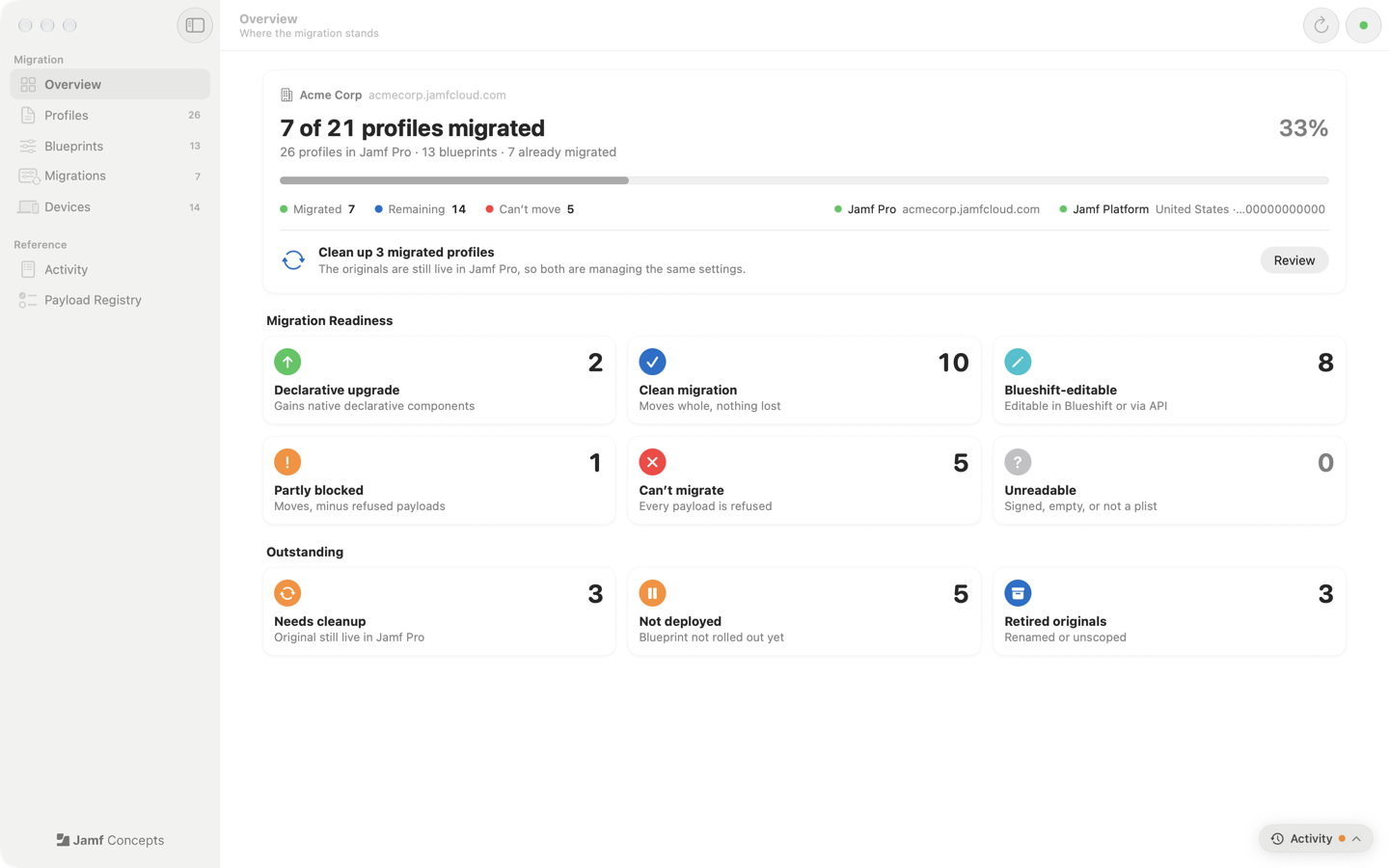
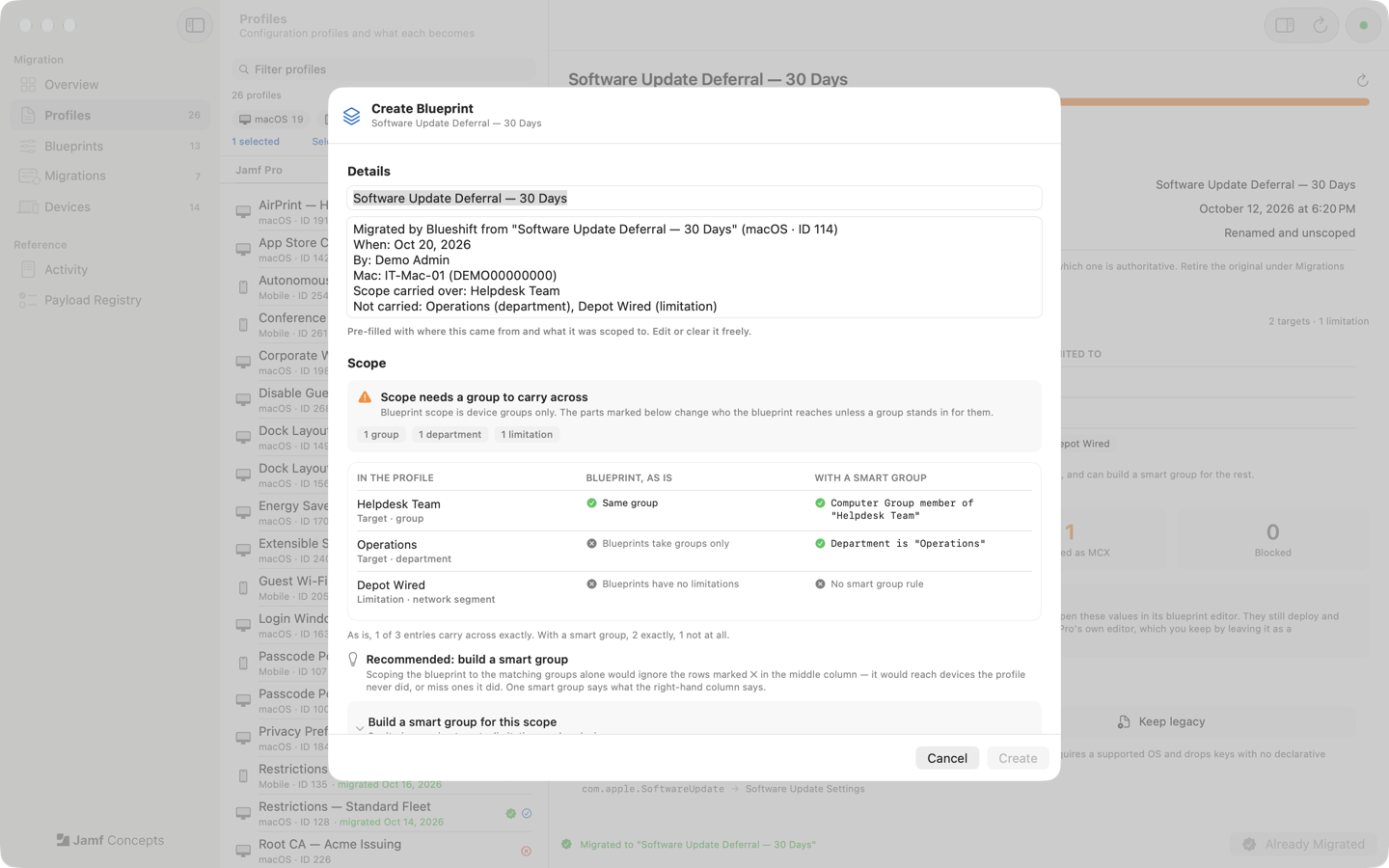
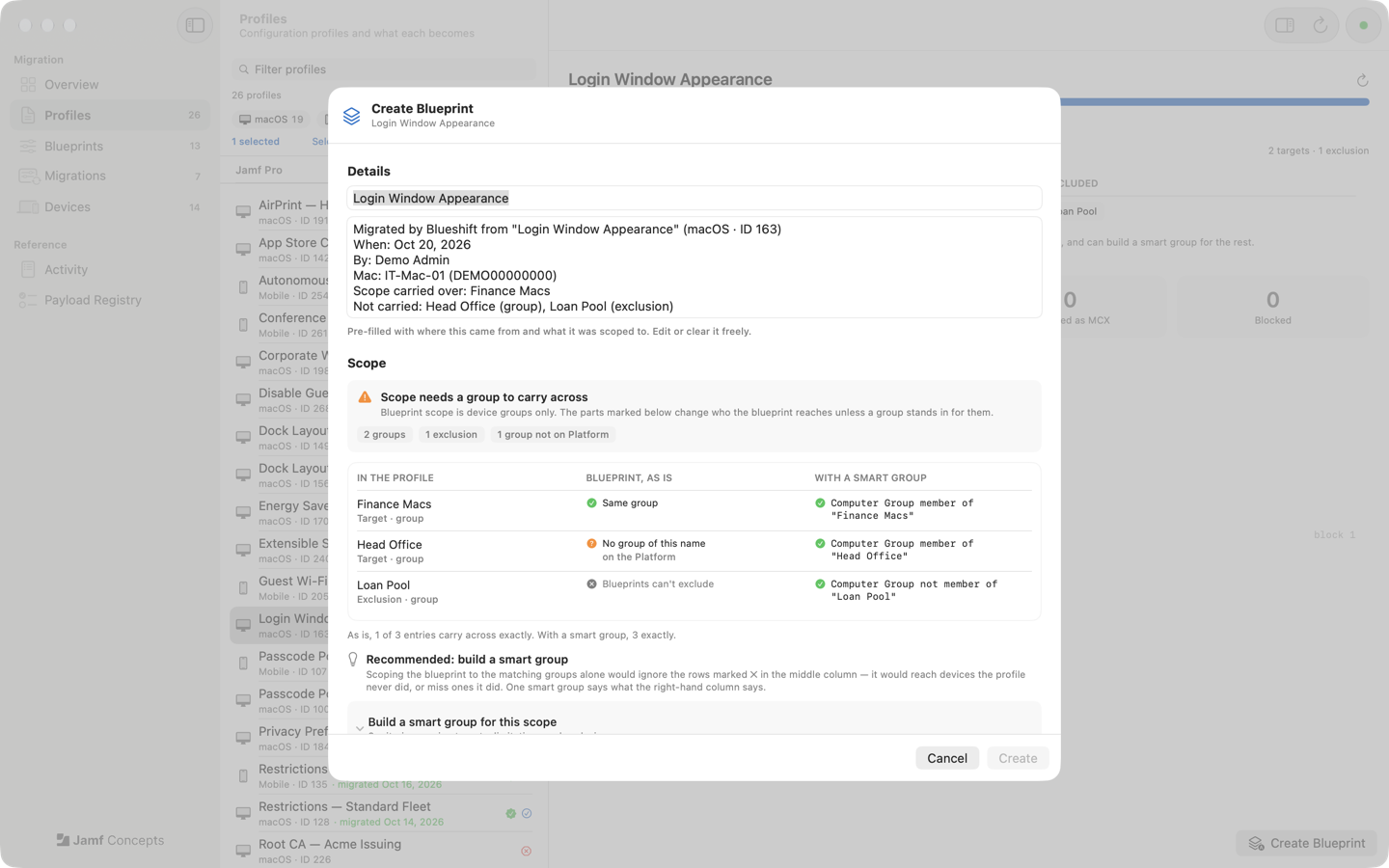
Blueshift reads your configuration profiles, gives every payload a verdict, creates the Blueprint through the Jamf Platform API with the profile's scope carried across, and then helps you retire the original so two things never manage the same settings.
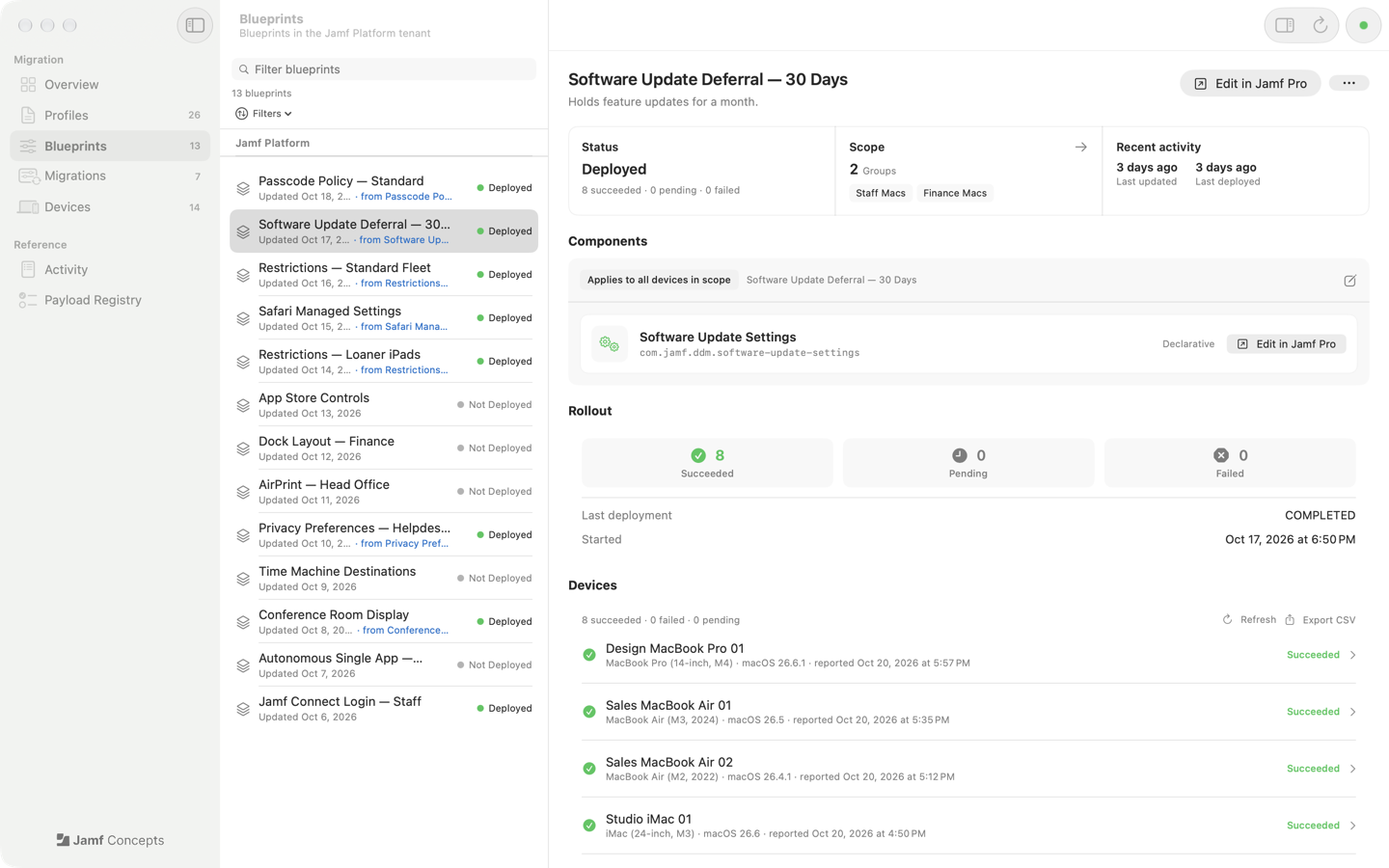
Blueshift creates blueprints but never deploys them. Deployment stays in Jamf Pro.
Features
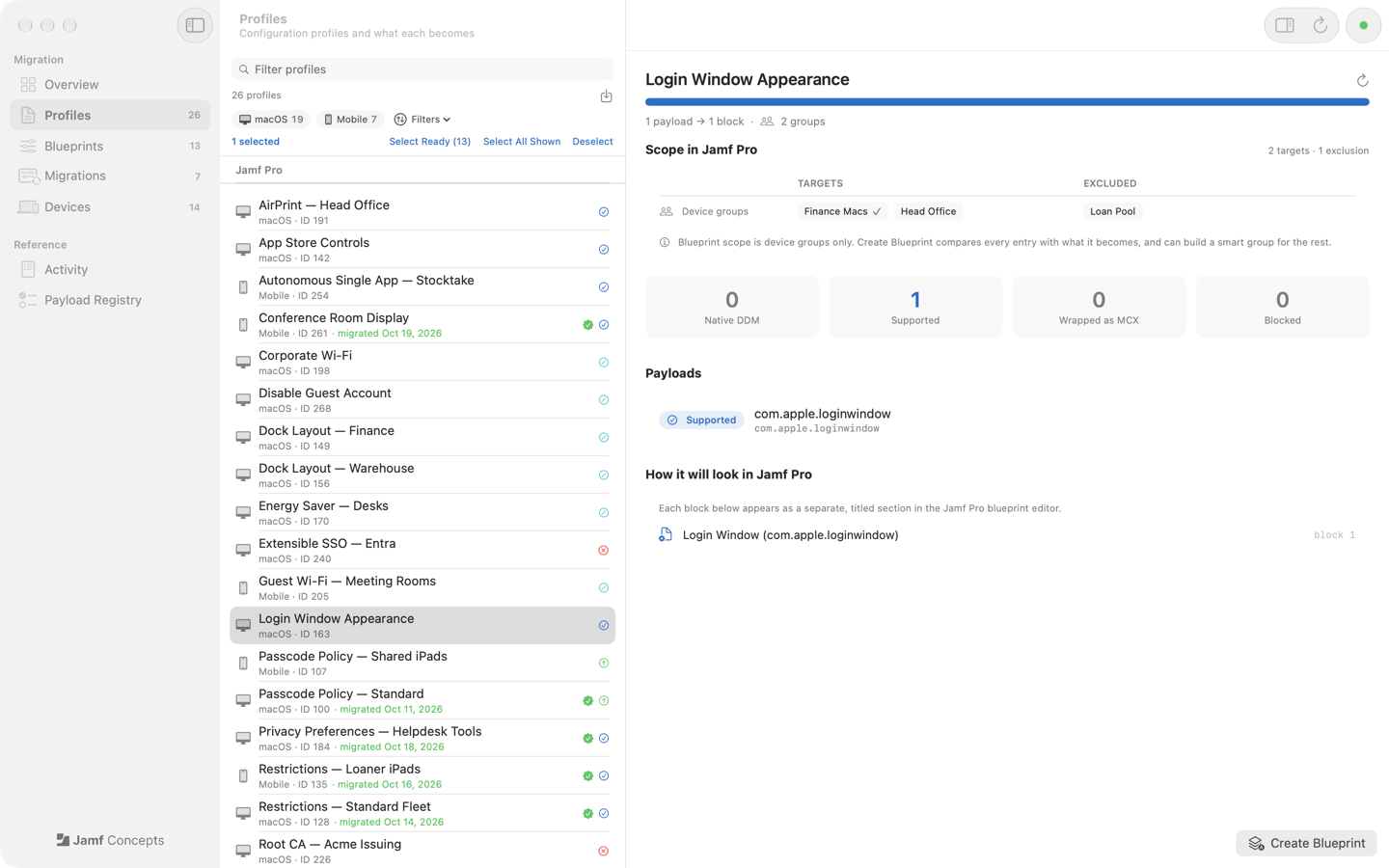
- Preview before sending. Every payload gets a verdict (native declarative, supported, wrapped as managed preferences, or blocked) before anything reaches the API.
- Migrate one or many. macOS, iOS and iPadOS profiles, from Jamf Pro or a
.mobileconfigon disk. Passcode, Safari, software update and Rapid Security Response settings become native declarative components. - Carry the scope across. Every target, limitation and exclusion is compared with what a blueprint can express, and Blueshift can build one smart group that covers the rest.
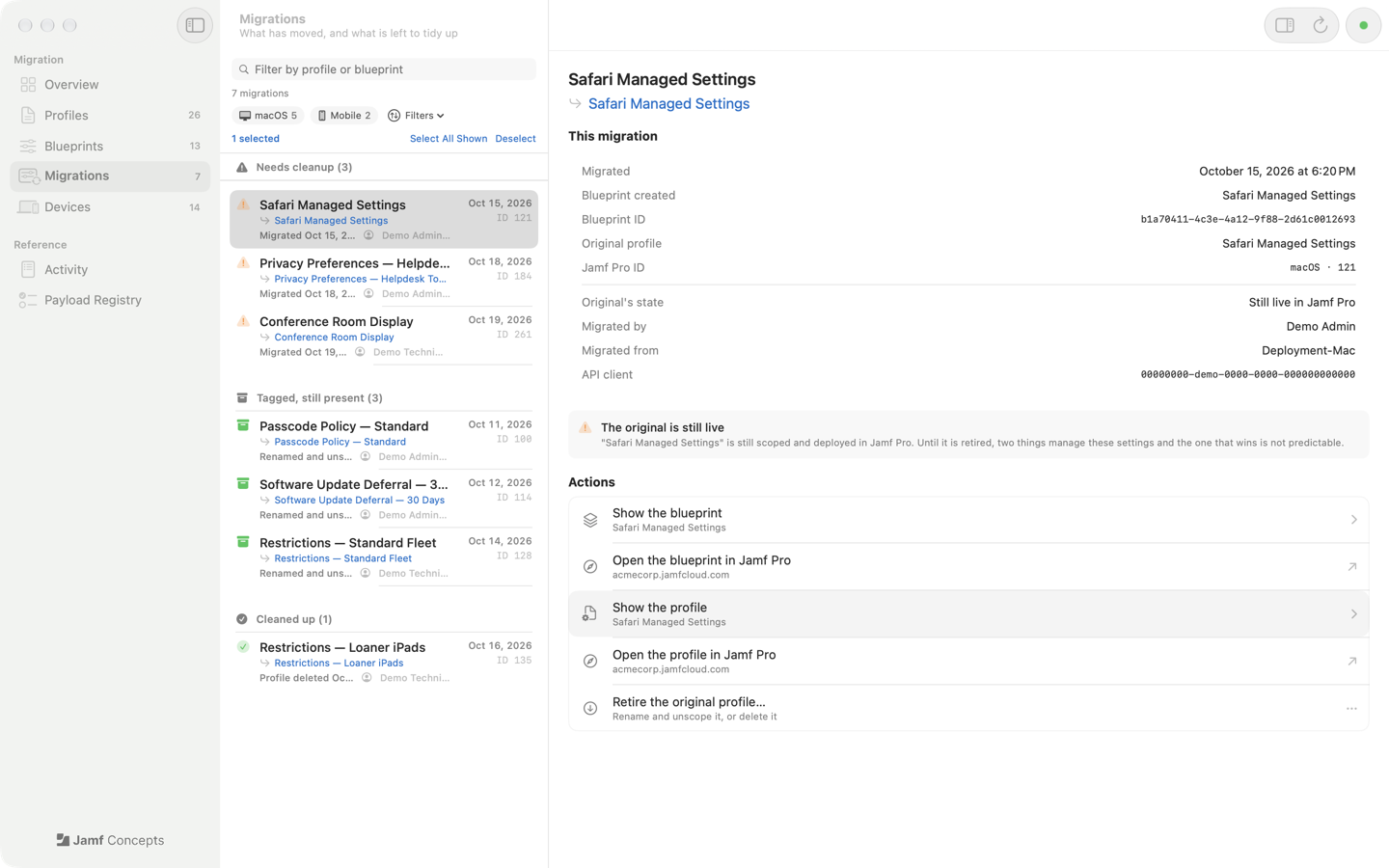
- Retire the original. Rename and unscope it, or delete it, so the old profile stops managing the same settings.
- Work as a team. Every blueprint records who migrated it and which profile it replaced, so every admin sees the same picture.
Requirements
- macOS 14 or later
- A Jamf Pro tenant onboarded to the Jamf Platform
- One Jamf Account integration at the Platform environment level. The README lists the permissions it needs.